
A restore test should end with a business check
Plan a recovery rehearsal that checks data, dependencies and a useful workflow—not simply a successful backup console message.
Read article : A restore test should end with a business check

RANSOM SECURE / CYBERSECURITY RESOURCES
Practical guides, checklists and planning tools to turn security questions into informed business decisions.
KNOW WHAT TO DO NEXT
You do not need another catalogue of products to begin a security conversation. You need to understand which business activities depend on technology, where trust is being placed and what evidence supports your current plans.
This resource centre brings together practical cybersecurity guides, checklists and planning tools. Use them with the people who own the work: business leaders, IT teams, service providers and the staff who will make decisions during an interruption. Each resource leads toward a defined action rather than an unexplained score.
FEATURED / RECOVERY PLANNING
A successful backup report does not establish that your team can restore a complete business workflow. Identity, applications, network access, suppliers and data checks may all sit between a saved copy and a useful return to work.
Start by agreeing the service that matters, the maximum tolerable interruption and the recent work that can be lost. Then compare those objectives with a measured restoration exercise.

PLAN → TEST → LEARN
CHOOSE YOUR STARTING POINT

Start with observations, a trusted communication route and the people authorized to coordinate the response. Keep the initial conversation factual.

Review recoverable copies, administrative separation and the evidence from restoration tests. Translate business needs into targets your technical team can validate.

Identify tools, information flows and permissions. Establish where people approve decisions and how access can be stopped when a workflow behaves unexpectedly.
MAKE THE READING USEFUL
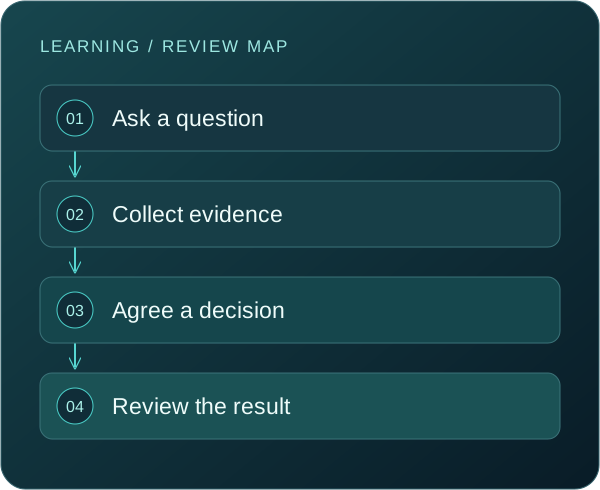
Choose a topic tied to a business decision. Read the guide with an owner, record what is known and identify where the evidence is missing. A checklist should help people ask better questions, not encourage a quick tick beside an untested assumption.
For each gap, capture the next action, the person responsible and a date to revisit it. If the issue spans several systems or teams, use a scoped assessment to determine the right sequence of work.
FIND THE RIGHT FORMAT
Use Security insights for a focused explanation, then bring the relevant checklist to a planning meeting. Describe the business consequence before introducing the technical control. Agree the decision you want the discussion to produce.
Use a checklist and attach your own evidence record in an approved internal system. Assign ownership for open items, record exceptions and revisit the review after meaningful changes. A tick means the item was reviewed; it does not establish that a control is effective.
Use the recovery objectives planner to define a business service, minimum operation, targets and dependencies. Review the output with the service owner and technical team before treating it as an agreed requirement.
Use the enquiry popup to describe the objective and a safe contact route. A resource cannot inspect your configuration, establish incident scope or verify a recovery point. A focused conversation can determine what evidence a review needs.
Accounts, guests and applications can accumulate permissions over time. The identity guide connects everyday sign-ins to privileged roles, lifecycle changes and account recovery.
The insights library turns individual questions into readable explanations. Share a relevant article before a meeting so that the discussion can focus on your own systems and decisions.
QUESTIONS THAT MATTER
The guides and browser-based tools are available without an enquiry form. You can use them to support an internal conversation and contact us separately when you need help applying the guidance.
No. Checklist selections and planner entries remain in the current browser page and reset when it is refreshed. Print or download a summary before leaving. The enquiry form is separate.
No. They help structure questions and preparation. A conclusion about your environment requires appropriate scope, evidence and validation. A completed checklist is not a certificate of security.
Start with one essential service and its owner. Review account access, backups and the response contact route that support it. Expand from an understood workflow instead of attempting every topic at once.
KEEP EXPLORING
Plan a recovery rehearsal that checks data, dependencies and a useful workflow—not simply a successful backup console message.
Read article : A restore test should end with a business checkFind out which AI tools touch your business information, who owns them, and what to review before access expands.
Read article : How to build an AI tool inventory your team can actually useA practical closeout review for guest accounts, sharing links and connected applications.
Read article : Project finished? Close the access as well as the workTURN INFORMATION INTO ACTION
Tell us what you want to protect, where the uncertainty is and who needs to be involved. We will discuss the scope and practical next steps with you.